How to sort property photos into a folder per address
A day of viewings, valuations or inspections ends the same way: one camera roll, six properties, three hundred photos in the order you took them. Before anything else can happen, they have to be split into a folder per property. Doing that by eye is slow, and kitchens and bathrooms from different houses look surprisingly alike in thumbnails.
Your phone has already done most of the work. Each photo carries the GPS position where it was taken, and properties are usually far enough apart for those positions to tell them apart. This guide shows how to use that on a Windows PC.
Before you go: make sure the photos are geotagged
- iPhone: Settings → Privacy & Security → Location Services → Camera, set to While Using the App.
- Android: turn on location tags in the camera app's settings.
- Copy photos off the phone with a cable, or let OneDrive, iCloud or Google Drive sync them. Photos sent through messaging apps usually lose their position.
GPS indoors is less exact than outside, but a phone usually still knows which building it's in, and that's all that's needed here.
Sorting a day of properties with Location Sorter
Location Sorter groups photos taken close together into places and names each one from the map, then files each place into its own folder.
- Copy the day's photos into one folder and choose Sort a folder of shots….
- Check the places. Each property should come back as one place, named from the map, often down to the street. You see them as pins on a map and as strips of photos.
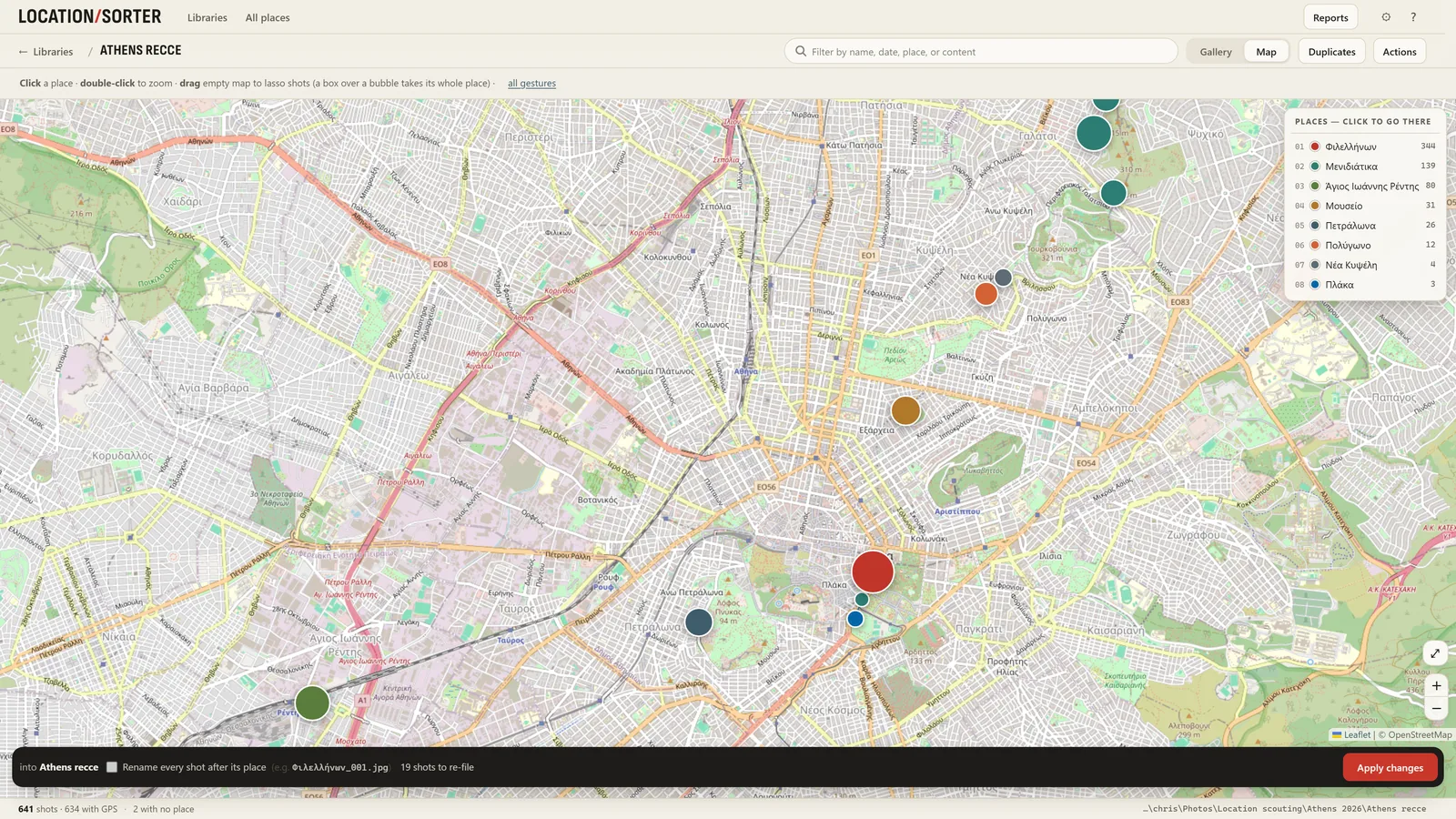
- Rename each place to the address or job reference you file under: "14 Elm Road", "Job 2291, Flat 3". That name becomes the folder name.
- Fix the edge cases. Two flats in the same building will come back as one place: select the second flat's photos and use New place… to split them off. A photo taken across the street can be dragged back where it belongs.
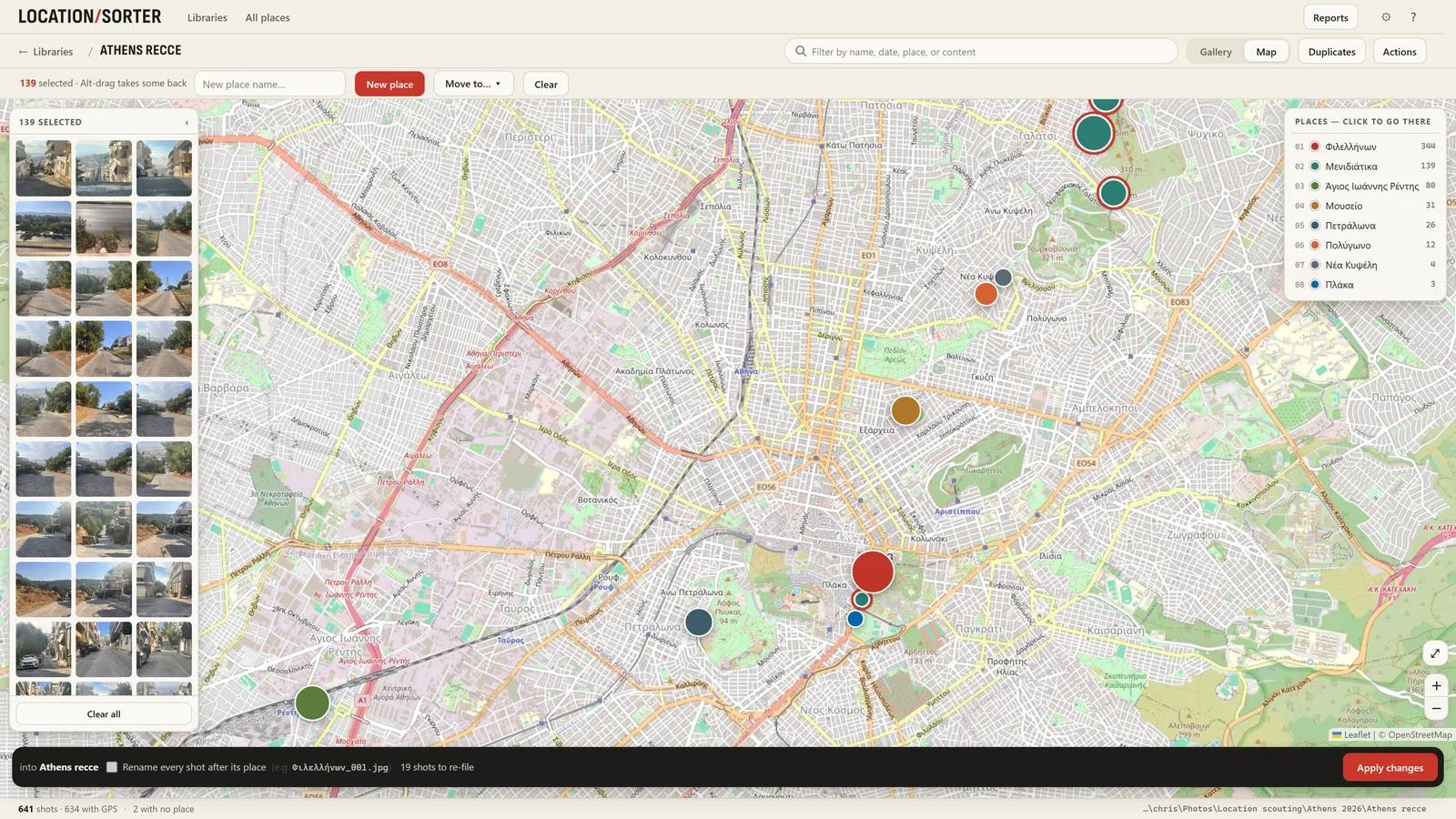
- Press Apply. Each property becomes a folder. Nothing moves before that, and Put shots back undoes the sort if you need to start again.
Keep the notes with the photos
Each place has a note and tags. Put the things the photos don't show there (keys with the neighbour, damp in the back bedroom, vendor wants a call) and tag what you'll search for later: valuation, needs-retake, let-agreed. The search at the top covers every day you've sorted, and tag:needs-retake finds every property with that tag in one go.
Drop the extra frames
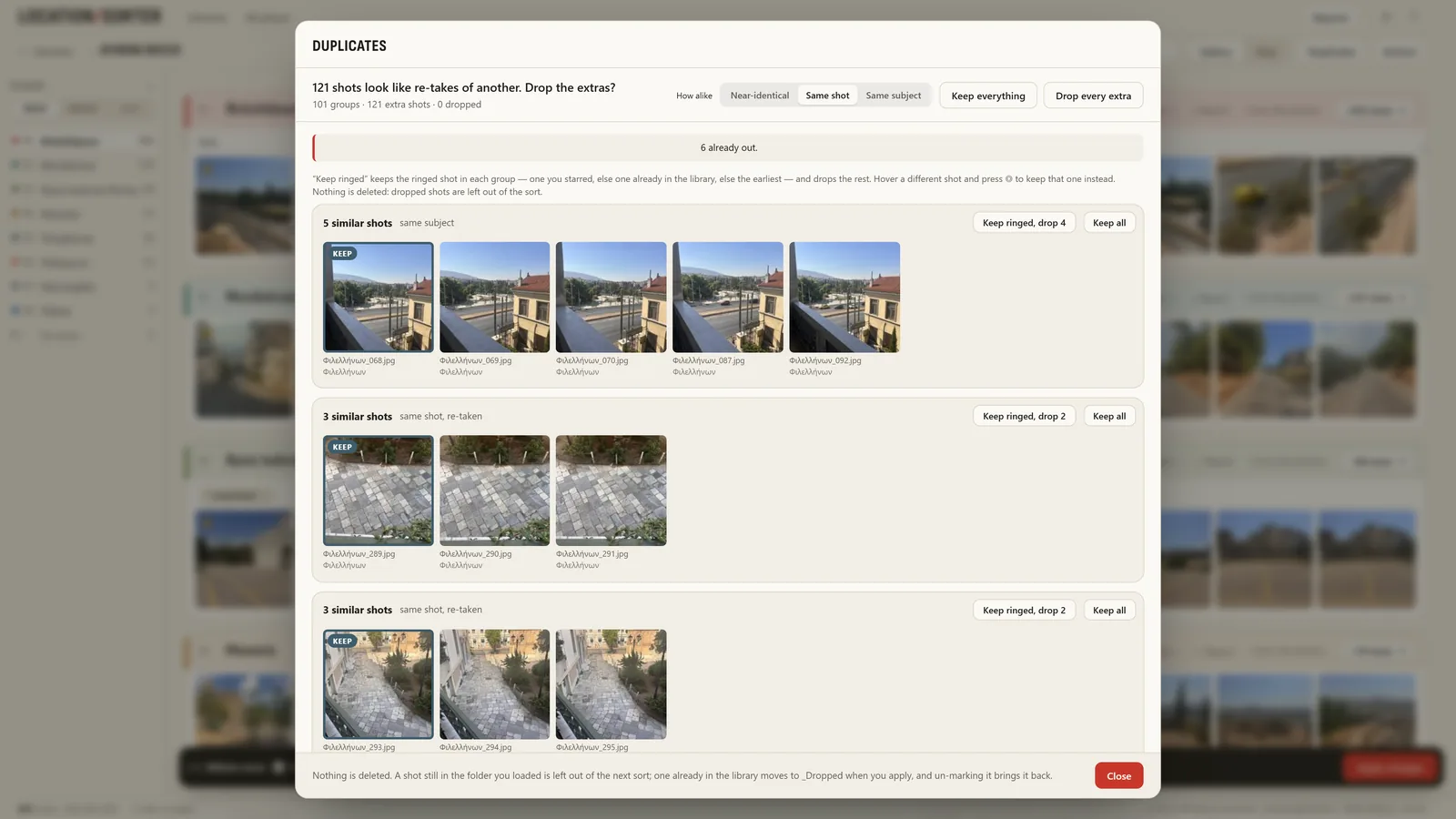
Ten nearly identical shots of the same living room add nothing. Duplicates finds runs of near-identical frames, keeps one of each (you choose which) and leaves the rest out of the sort, without deleting a single file.
Already filed some by hand?
If you keep a folder per property already, Use folders I already have… takes them as they are: each folder becomes a place on the map, and new photos can be sorted in beside them.
Location Sorter runs on your PC with no account and no upload, which matters when the photos are of someone's home. It's free to try for 7 days from the Microsoft Store, then €24.99, once.