Google Photos places vs folders on your PC
Google Photos is often the first answer to "how do I see my photos by place?", and for browsing it's a good one: it puts your pictures on a map and lets you type a city into the search box. But if what you want is the files themselves, sorted into a folder for each place on your own drive, it isn't built for that. This guide explains the difference and when each one fits.
What Google Photos does with places
Once your photos are uploaded, Google Photos reads the GPS position in each one and uses it to:
- show your photos on a map you can pan and zoom;
- group them by city and landmark in its search;
- suggest places for photos that lack a position, from what's in the picture.
All of this happens in Google's cloud, inside the Google Photos app or website. Your files on your PC don't change.
Where it stops
- No folders. Google Photos organises with albums and search, not folders on your drive. When you download photos, or export your library with Google Takeout, you get them grouped by album or date, not by place.
- Everything is uploaded. To be placed on Google's map, every photo, with its position, has to be in your Google account. For a personal library that may be fine. For a client's property, a film production's scouting or work under an NDA, it often isn't.
- Storage. Photos count towards your Google account's storage, which is shared with Gmail and Drive.
- Places are Google's, not yours. You can't rename a place to "Day 2 beach" or "Client: 14 Elm Road" and have that become a folder.
When folders on your PC are the better fit
Folders win when the photos have to go somewhere else afterwards: to a client, an editor, a backup drive, a shared Dropbox, a production's server. A folder named after each place is something anyone can open, on any computer, with no app and no account.
Getting a folder per place without uploading
Location Sorter does the folder side of the job on your PC. It reads the same GPS position Google Photos does, but nothing is uploaded: the only thing it sends anywhere is a place's coordinates, to OpenStreetMap, to look up its name.
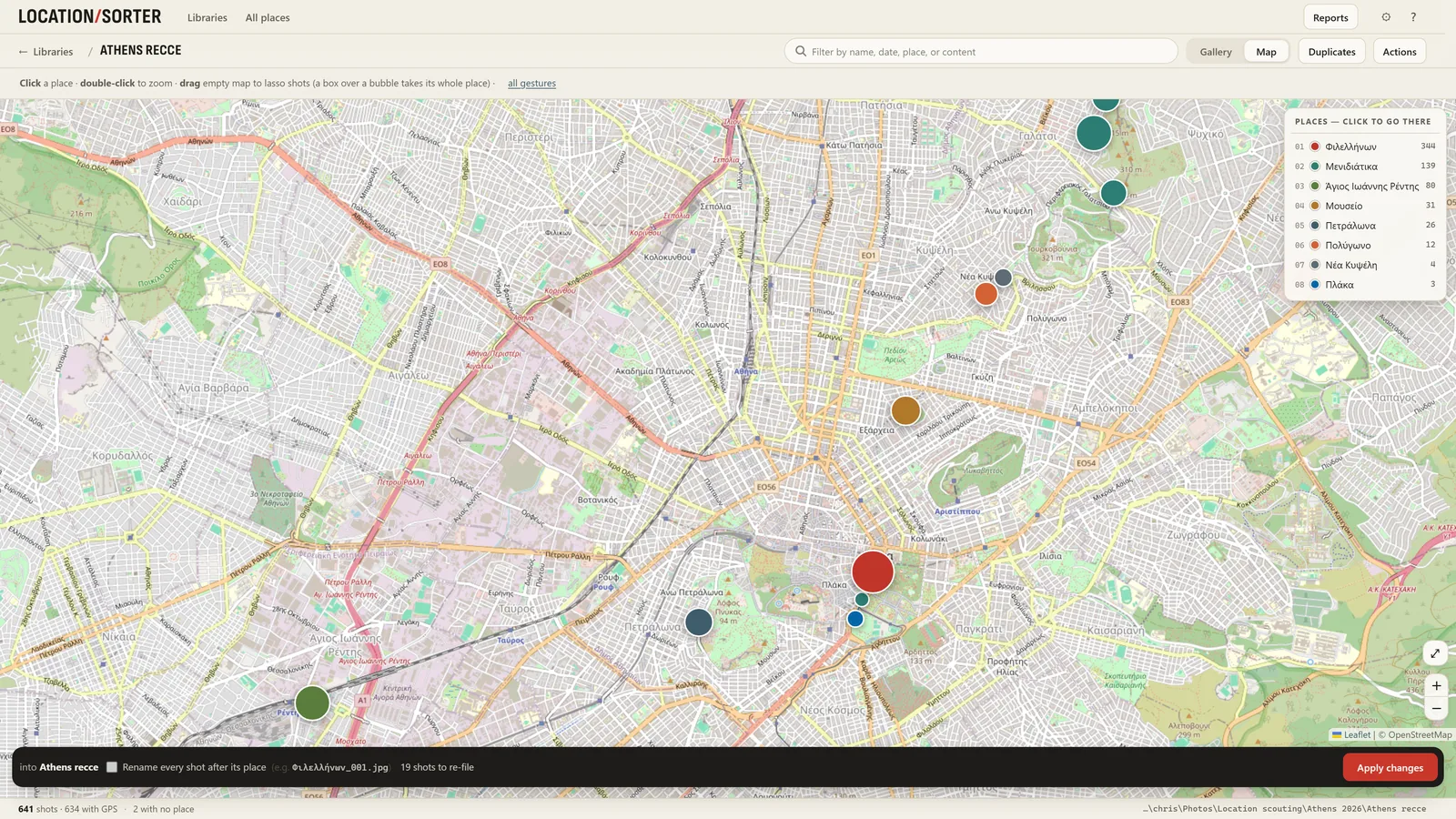
- Choose Sort a folder of shots… and pick the folder (it can be a OneDrive, Dropbox or Google Drive folder on your PC).
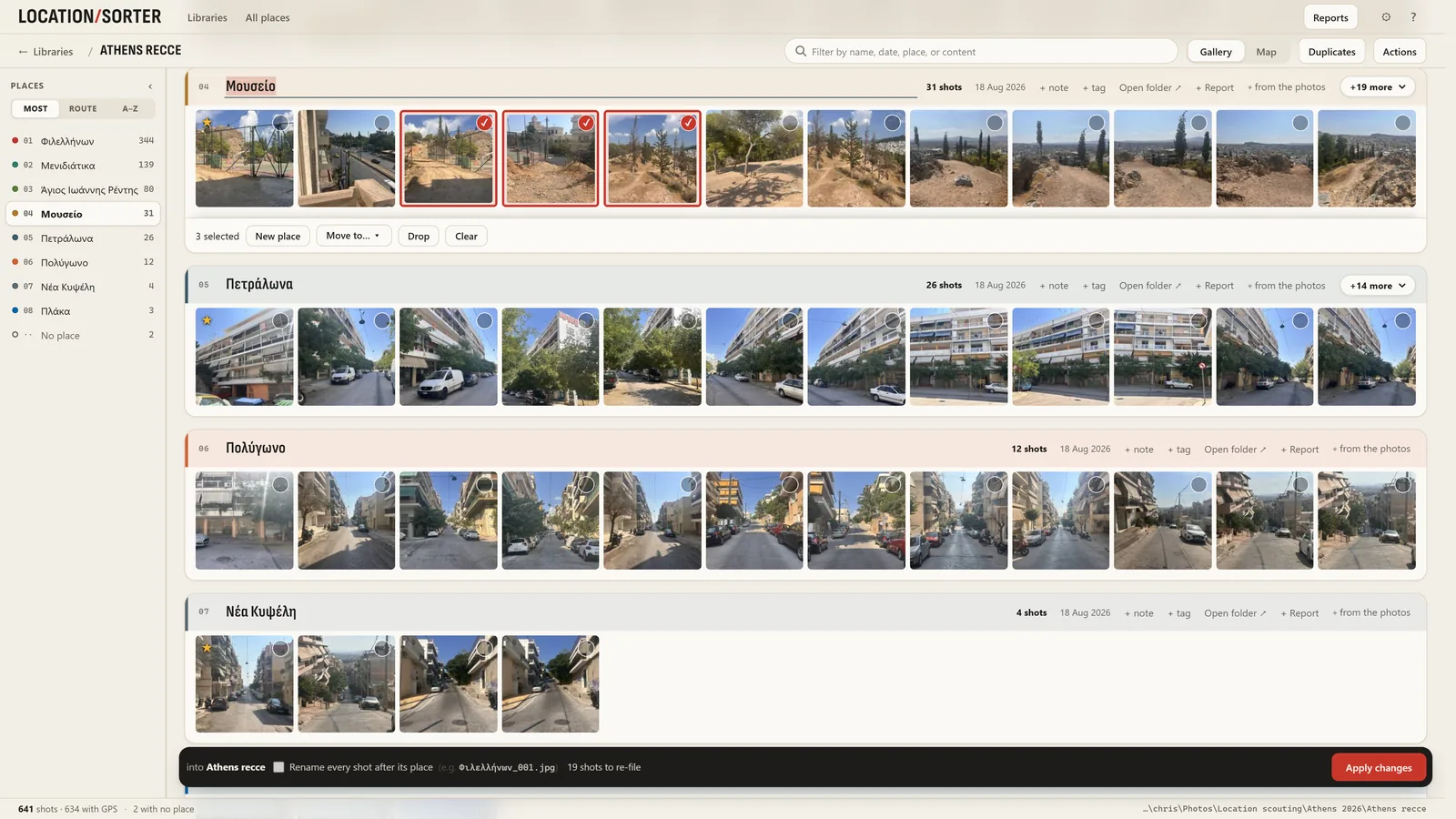
- Shots taken close together become places, each named from the map. Check them on the map and in strips of shots.
- Rename places to what you'll look for, and move any shot that ended up in the wrong place.
- Press Apply: each place becomes a folder. Put shots back undoes it.
Using both
They don't exclude each other. Many people keep Google Photos on the phone for everyday browsing and sharing, and sort the originals on the PC into folders per place for work, backups or a project. The GPS stays in each file either way.
Location Sorter is free to try for 7 days, with every feature, from the Microsoft Store. After that it is €24.99, once.